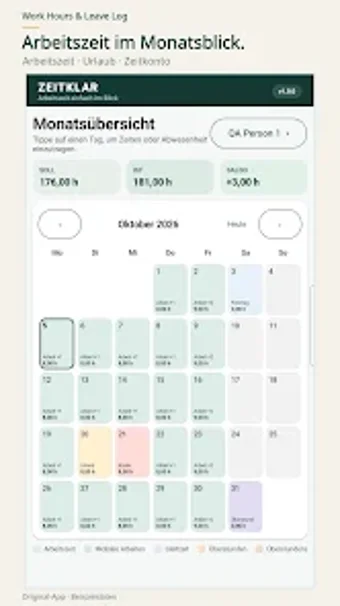
Simple Android timesheet and leave tracker for individual professionals
Tracks daily start and end times, break periods, and leave categories while exporting records to PDF or CSV, making payroll or tax reporting straightforward. Developed by S2CEAV for the business-productivity category, the app targets employees, freelancers, and contractors who need a compact, on-device timesheet. Key capabilities include automatic overtime calculation, multiple job profiles, and basic reporting tools, so users with flexible schedules can maintain accurate, portable logs without complex setup.
What can users do with this app in a daily work routine?
The app records precise start and end times, logs break durations, and classifies absences such as vacation or sick days, which supports daily timekeeping for billable or tracked hours. It also calculates overtime and flexible hour balances automatically, so a user can open a single job profile, enter shifts, and rely on the app to maintain cumulative balances across pay periods.
How does the workflow produce shareable outputs for payroll or reporting?
Export options include PDF and CSV formats, so reports can move from the device into external payroll or accounting systems without manual transcription. The app stores entries locally while offering export, letting a user generate a CSV for spreadsheet import or a PDF summary to attach to an employer email or expense file.
Is the interface suitable for non-technical professionals and multiple work models?
The layout focuses on core tasks: shift entry, leave selection, and profile switching for multiple jobs. Templates or guided wizards are not required, which keeps onboarding short for people familiar with basic timesheet concepts. The app supports several work models through multiple job profiles, so contractors or staff working different schedules can keep separate logs within the same installation.
What are compatibility and performance characteristics to expect?
The app runs on Android devices and keeps data on-device, which ensures offline access during travel or limited connectivity. Exports to standard CSV and PDF preserve data for external systems. Stability is reported as adequate for routine daily entries and cumulative overtime calculations, which is what most individual users need for accurate record keeping.
Who should choose this app and where it does not fit
Work Hours Leave Log suits solo professionals and small-scale contractors who need a private, no-account way to keep precise time and leave records; its export options let those users hand off data to payroll or accounting processes. Teams requiring shared, real-time timesheets or cloud-based collaboration will find the app limited, since it keeps records locally rather than offering synchronized group access.